Android 16 and API level 36: what the Google Play deadline changes
New Play apps and updates must now target Android 16 (API 36), and 16 KB page sizes come next. Here's what changes and a checklist to get your app ready.
4 min read
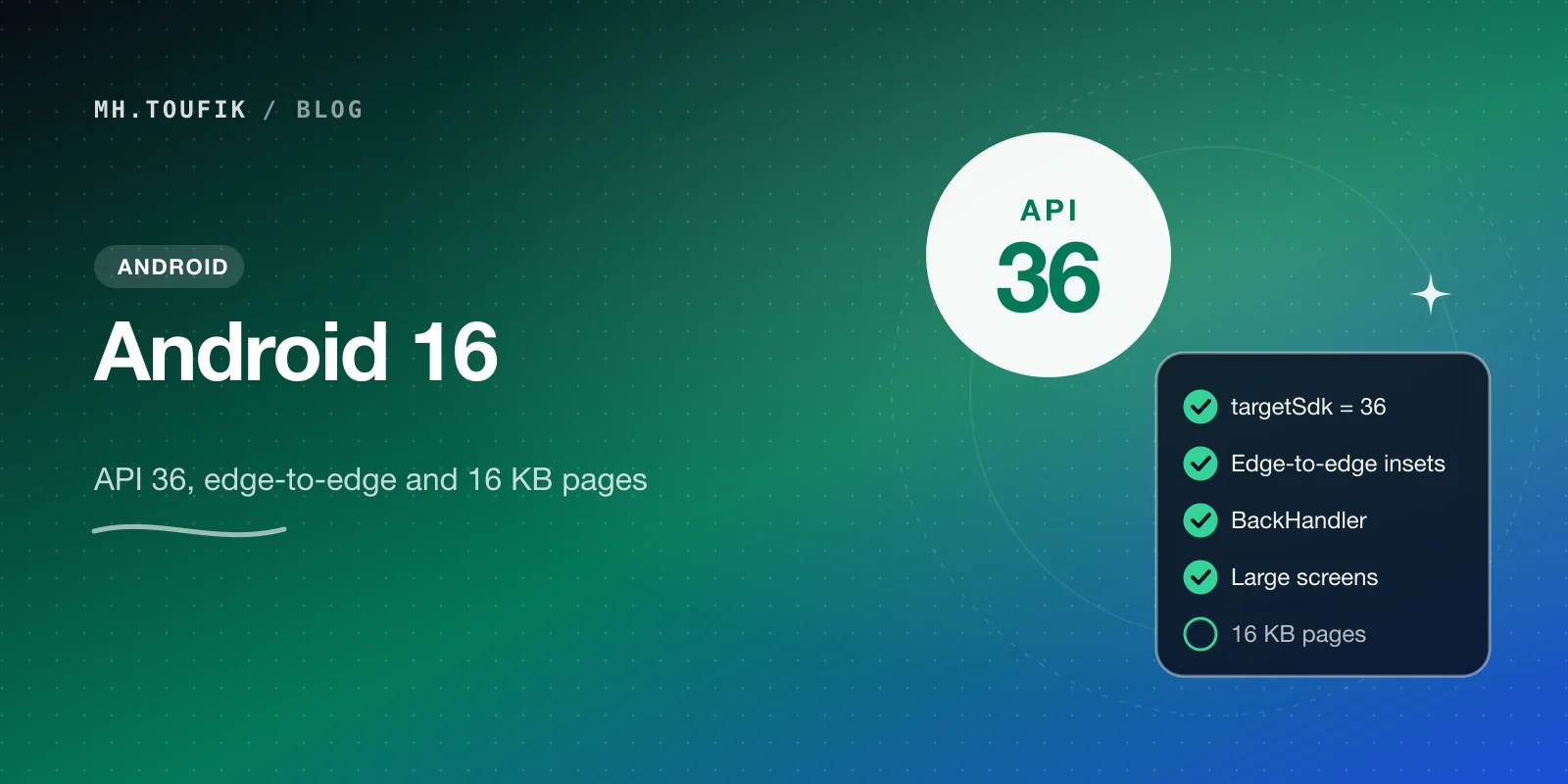
If you publish an Android app on Google Play, there's a date you can't ignore: since 31 August 2026, new apps and app updates must target Android 16 (API level 36).
Bumping targetSdk sounds like a one-line change. It isn't. Targeting a new API level switches on new platform behaviour, and Android 16 brings a few changes that can visibly break an app.
Here's what changed, what to fix, and the next deadline already on its way.
The dates
From Google's Play Console help:
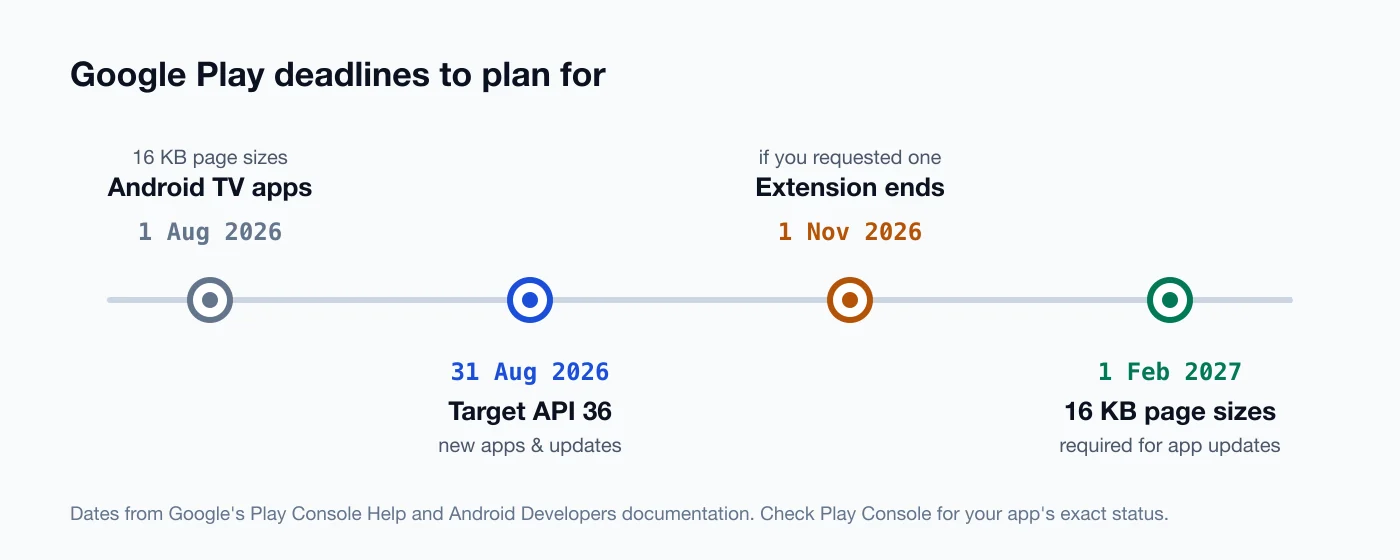
- 31 August 2026 — new apps and updates must target Android 16 (API 36) or higher.
- Existing apps must target at least Android 15 (API 35) to stay available to new users on newer Android versions.
- Extension — you could request more time in Play Console, until 1 November 2026.
- Wear OS and Android Automotive apps need Android 15 or higher; Android TV and Android XR apps need Android 14 or higher.
Your existing users keep the app either way. The rules control what you can publish and who can install it.
Change 1: you can't opt out of edge-to-edge anymore
Android 15 made apps draw edge-to-edge — behind the status bar and the navigation bar — but allowed an opt-out. For apps targeting Android 16, that opt-out is gone.
If your app relied on it, your toolbar may now hide under the status bar, and your bottom buttons may sit under the gesture bar.
The fix in Jetpack Compose is to handle window insets properly:
class MainActivity : ComponentActivity() {
    override fun onCreate(savedInstanceState: Bundle?) {
        super.onCreate(savedInstanceState)
        enableEdgeToEdge()
        setContent {
            Scaffold { innerPadding ->
                // Scaffold's padding already accounts for the system bars
                HomeScreen(modifier = Modifier.padding(innerPadding))
            }
        }
    }
}
For screens without a Scaffold, use Modifier.windowInsetsPadding(WindowInsets.safeDrawing) on the content that must stay clear of the system bars.
Change 2: predictive back is on by default
For apps targeting Android 16, predictive back animations are enabled by default — and Google's documentation is very direct about the side effect: onBackPressed() is no longer called, and KEYCODE_BACK is no longer dispatched.
If you still override onBackPressed() to show a "discard changes?" dialog, it silently stops working.
Move to the supported back APIs. In Compose, that's BackHandler:
@Composable
fun EditorScreen(hasUnsavedChanges: Boolean, onDiscardRequest: () -> Unit) {
    BackHandler(enabled = hasUnsavedChanges) {
        onDiscardRequest()
    }
    // …
}
In View-based code, use OnBackPressedDispatcher with an OnBackPressedCallback. If you need time, Google allows a temporary opt-out with android:enableOnBackInvokedCallback="false" — but treat it as a stopgap.
Change 3: large screens ignore orientation locks
This one surprises people. For apps targeting Android 16, on large screens (smallest width of 600dp or more), the system ignores orientation, resizability, and aspect-ratio restrictions. That includes screenOrientation, resizeableActivity, minAspectRatio, and maxAspectRatio.
So a portrait-locked app will rotate and resize on a tablet or foldable. Games are excluded, and phones are unaffected.
Google offers a temporary opt-out on API 36, but it disappears once you target Android 17. The real fix is an adaptive layout — and with Compose, window size classes make that much less painful than it used to be.
The next deadline: 16 KB page sizes
Newer Android devices can use a 16 KB memory page size instead of 4 KB. Apps targeting Android 15 and higher need to support it on 64-bit devices.
Google's current documentation says that from 1 February 2027, app updates that don't support 16 KB page sizes can't be released. (Android TV apps have an earlier date: 1 August 2026.)
The good news:
- If your app has no native code — pure Kotlin or Java — Google says it should already be compatible, with no changes.
- If you ship native libraries (
.sofiles, directly or through an SDK), they need to be built with 16 KB alignment. Android Gradle Plugin 8.5.1 and higher aligns uncompressed shared libraries by default, but third-party SDKs may need updating.
Check your APK with Android Studio's APK Analyzer, and test on the 16 KB emulator image before the deadline catches you.
My upgrade checklist
This is the order I'd work through when moving an app to API 36:
- Update Android Studio, the Android Gradle Plugin, and your dependencies first. Old libraries cause most of the weird failures.
- Set
compileSdkandtargetSdkto 36. - Walk through every screen on a gesture-navigation device. Look for content under the status bar or the gesture bar.
- Search the codebase for
onBackPressedand replace it withBackHandlerorOnBackPressedCallback. - Run the app on a tablet or foldable emulator. Check rotation and resizing.
- Check for native libraries and test on a 16 KB emulator image.
- Ship to an internal testing track before production.
None of these changes is huge on its own. Together, they're a few days of careful work — much better done now than the night before a deadline.
Sources
- Target API level requirements for Google Play apps — Play Console Help
- Behavior changes: apps targeting Android 16 or higher — Android Developers
- Changes to orientation and resizability APIs in Android 16 — Android Developers Blog
- Support 16 KB page sizes — Android Developers
Keep reading
All posts
Compose Multiplatform for iOS is stable. Should you share your UI now?
Compose Multiplatform for iOS has been stable since May 2025. Here's when sharing UI between Android and iOS pays off, and when native SwiftUI still wins.
4 min read
Comments
No comments yet — start the conversation.